If you have forgotten or lost the main root password of the MySQL database user, you can reset it and set a new one.
Everything is quite simple if the ISPManager control panel is installed on your dedicated or virtual server.
If there is no panel, you need to enter a few commands in the command line after logging in to the server via SSH as the root user.
Below we describe both procedures in detail.
How to reset the MySQL root password via ISP
First, log in to the control panel as root.
Then, in the menu on the left, go to "Settings" - "Database servers", select our MySQL with the mouse and click "Edit".
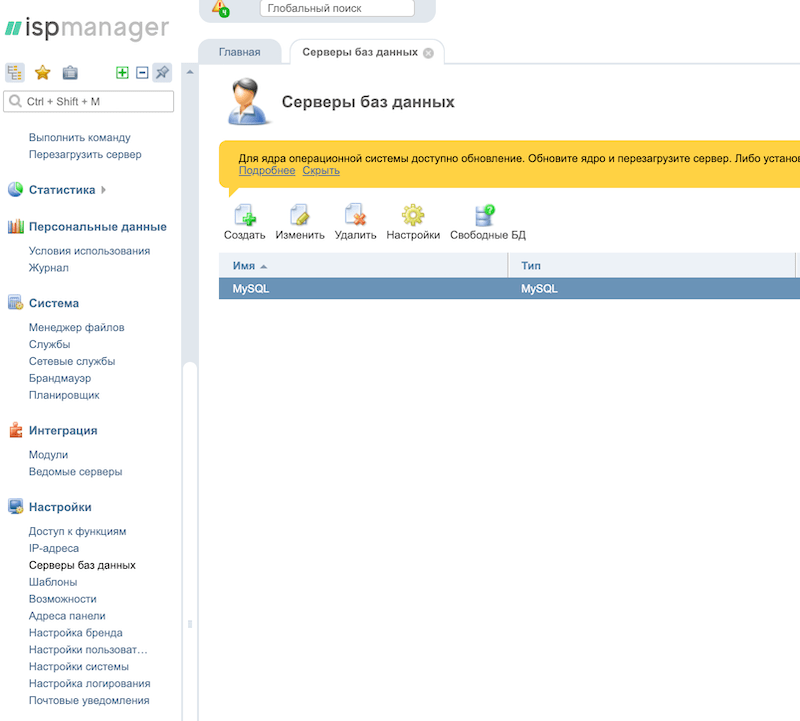
Next, enter the new password in the "Password" field and check the "Set new password" box below.
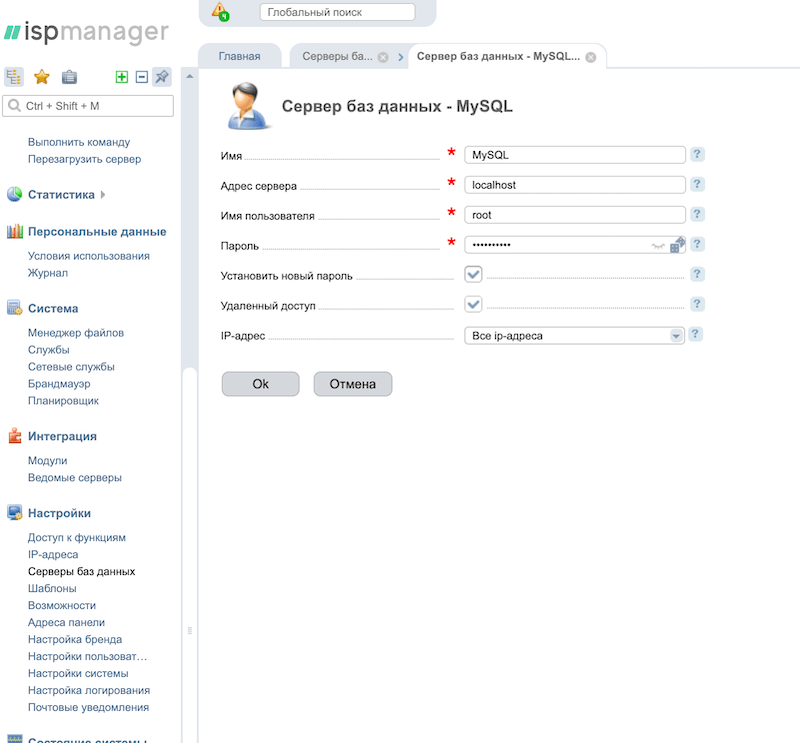
Done, the new root password for the MySQL database has been set successfully.
How to reset the MySQL root password via SSH
Log in to the console via SSH as root and enter the following commands:
1. Stop mysql
# /etc/init.d/mysql stop
2. Start mysql in safe mode with special parameters
# mysqld_safe --skip-grant-tables &
3. Connect to the mysql server as the root user
# mysql -u root
4. Set a new password for the database and specify privileges
mysql> use mysql;
mysql> update user set password=PASSWORD("NEW_PASSWORD_HERE") where User='root';
mysql> flush privileges;
mysql> quit
5. Now stop mysql
# /etc/init.d/mysql stop
6. Start the database server and test the password
# /etc/init.d/mysql start
# mysql -u root -p
Done, the root user password for mysql has been updated via the command line.